PEACH Lab
The purpose of this tutorial is to explain how to start working with PEACH Lab environment where users can use Jupyter notebooks to explore data and build recommendation algorithms.
Prerequisites
To be able to complete this tutorial, you will need an access to the PEACH Lab. It is required to have EBU GitLab account and permissions to use PEACH Lab. If you are new to the PEACH contact the team to get it solved for you.
Starting PEACH Lab
First you need to set up your notebook engine on PEACH platform, where you first sign in using GitLab account.
Spawner options
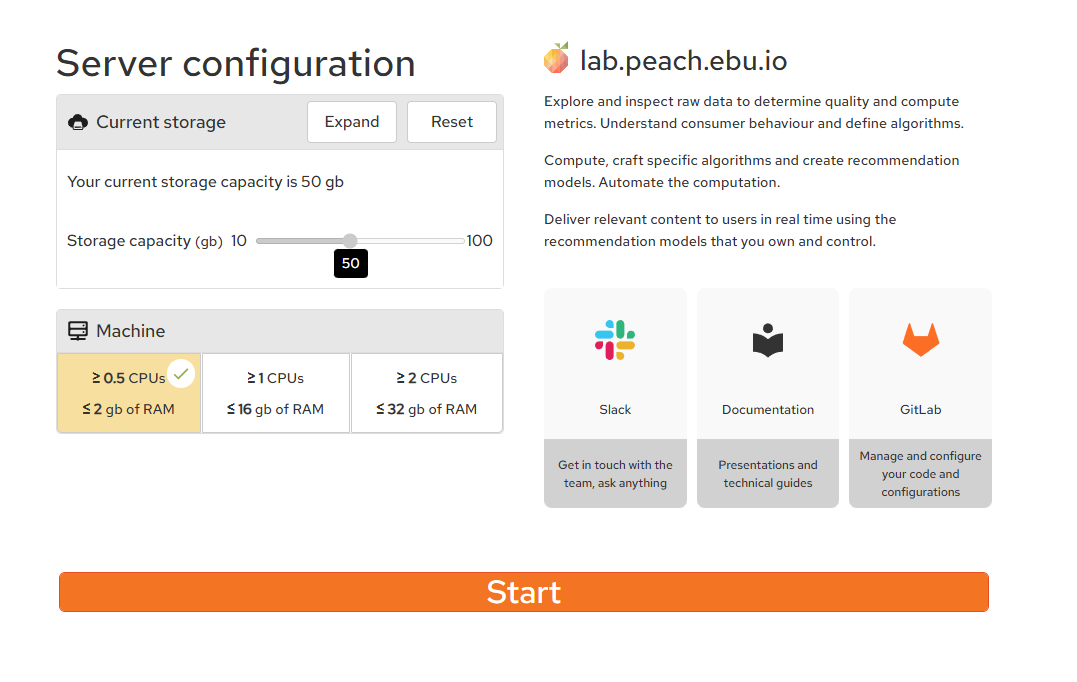
Before starting your PEACH Lab environment you are given a choice of storage memory and resources
About the Jupyterlab
The Jupyter Notebook is an open-source web application that allows you to create and share documents that contain live code, equations, visualizations and narrative text. Uses include: data cleaning and transformation, numerical simulation, statistical modeling, data visualization, machine learning, and much more.
After spawning the environment, which may take around a minute, Jupyterlab window will have the following look:
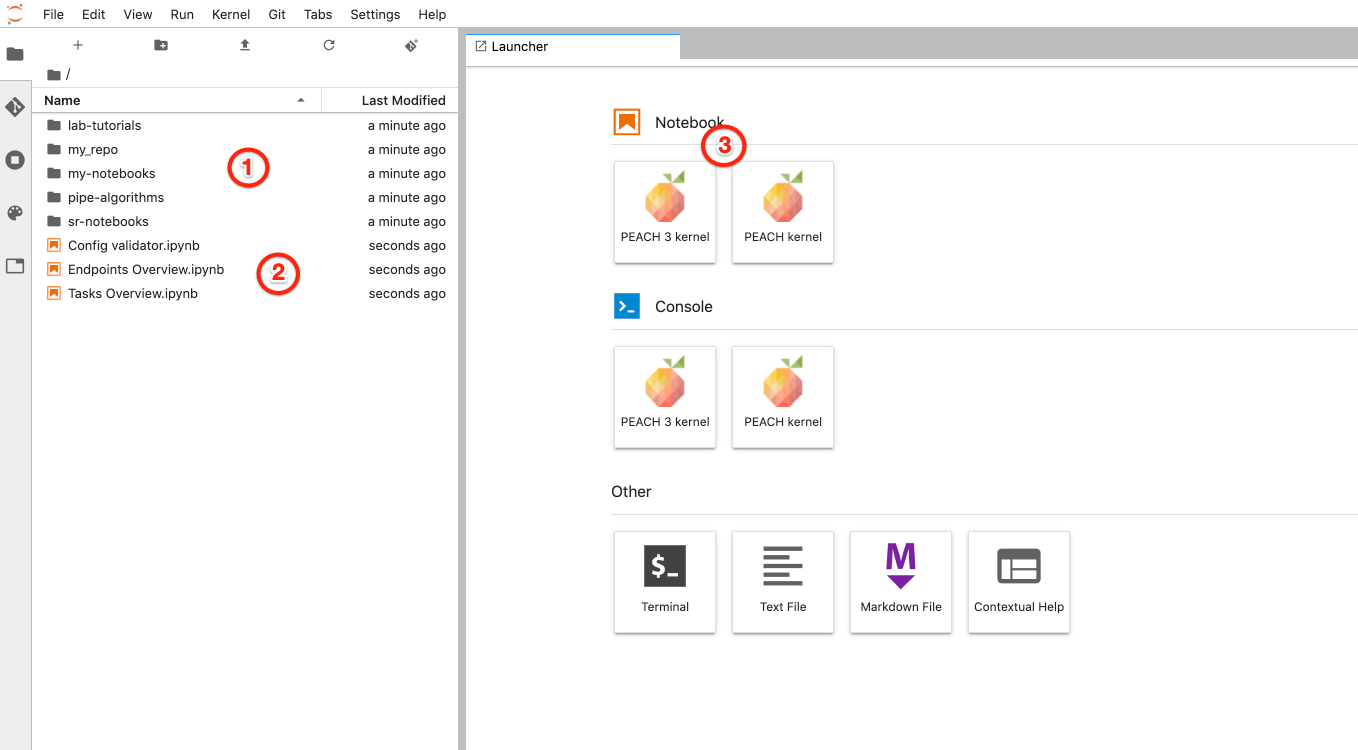
- Git repositories you have access to. Includes common libraries, repositories selected during previous step and optionally your scaffolded repository
- Overview notebooks to view status of tasks and endpoints, notebook to validate configuration files
- To start interactive Jupyter notebook session with PEACH environment, including installed dependencies with access to Redis and Spark environments.
Git integration
PEACH Lab is integrated with EBU GitLab so you can perform various operations inside git repository using UI:
- pull
- create branches
- revise changes in history
- diff notebooks
- stage changes for commit
- commit
- push